
Scrollback search
Ctrl+Shift+F (Cmd+F on macOS) opens a find bar that searches the whole scrollback as you type, every match highlighted. Enter steps up to older output.
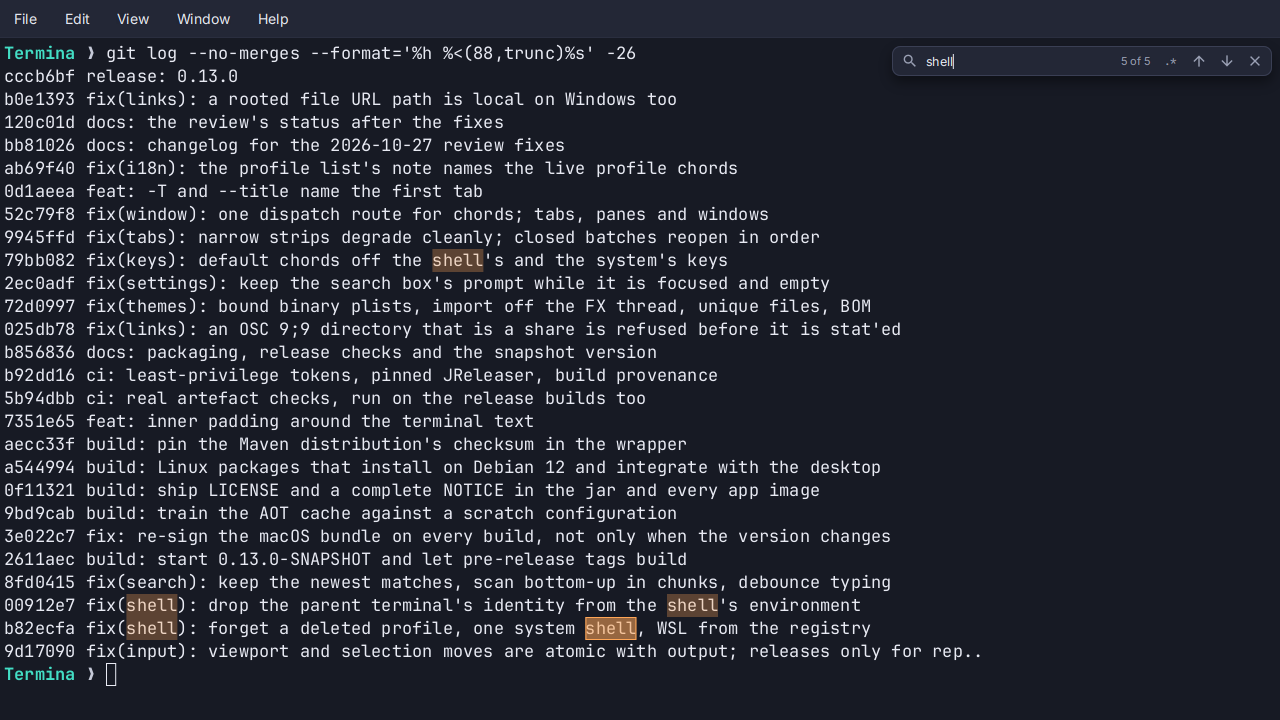
- As you type. Every match in the scrollback and on the screen is highlighted, the current one outlined, and the bar counts them.
- Newest first. The search starts at the bottom of what you are looking at.
Entersteps up to older output andShift+Enterdown, wrapping at the ends. - Smart case.
errorfindsError;Errorfinds onlyError..*switches to a regular expression. - Wrapped lines are one line. A word that reached the right edge and carried on is still found.
- From anywhere. Find Next and Find Previous,
Ctrl+Shift+GandCtrl+Shift+H(Cmd+GandCmd+Shift+G), work from anywhere and open the bar when it is closed. A short selection becomes the query. - One per pane. In a split tab each pane has its own bar.
See Search and prompts.