
Clickable links and paths
Ctrl-click (Cmd-click on macOS) opens a URL in the browser, or a file path in your editor, at the line from a Foo.java:42:7. A path is a link only if the file exists, and a link a program declares shows where it really goes.
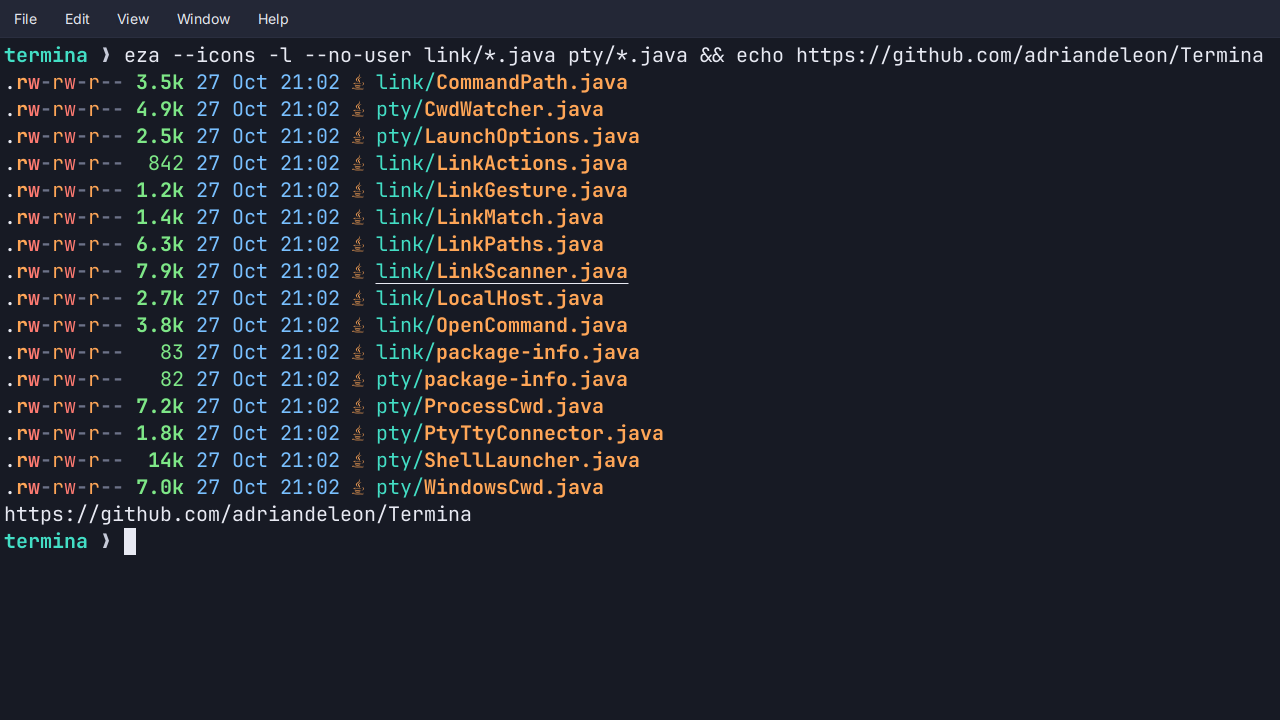
- URLs open in the browser. Only
http,https,ftp,ftps,fileandmailtoare opened, since terminal output is untrusted text. A URL that wraps at the right edge is one link. - Paths open the file, and only paths that exist are links, resolved against that tab’s own directory. A bare filename out of
ls, a relative path in a build’s output and~/notes.txtall work, and ordinary words never underline. - Declared links (OSC 8) from
ls --hyperlink, compilers andghare links whatever their text says, and hovering one shows its real target at the bottom of the pane. The same six schemes apply, so ajavascript:target is not a link. - Positions.
file:lineandfile:line:columnfrom a compiler error or a stack trace reach your editor through Settings → Terminal → Links → Open files with, such aseditor {file}:{line}. - It shows itself. Hold the modifier and the link under the pointer underlines and the pointer becomes a hand. Right-click a link for Open Link and Copy Link Address, with no modifier at all.
On Windows, relative paths are links once the tab knows its directory, which Termina reads from the shell process or, in a WSL tab, takes from the shell’s own report. See Links.